
Appearance
Logging module overview
By "logging system" we mean "activity logging"—usually some permanent records about someone's activity, available to see using UI (usually on Nova).
Other related topics:
Rationale
The Activity Logging System is not a debugging tool, i.e., its output/logs are not meant to be used primarily by the dev team. Although it may provide useful information to track down and solve bugs, this is not its main purpose.
This is the rationale behind the activity logging system:
- The activity logging system is a tool to be used by member support staff to track member’s activities in order to provide efficient customer support.
- The activity logging system is a tool to be used by member support staff AND software testers to error-find and debug on their own as opposed to asking IxDF Developers for help in debugging all the time. In other words, the more you (the dev team) use this logging system in your code (and remember to include all relevant target objects and write crystal clear and verbose log descriptions/entries), the more you will offload yourselves. Thus, if you want to minimize the number of issues assigned to you by member support or software testers, then you should use this system as much as possible.
- The activity logging system is a tool to collect all kinds of statistical data in order to direct further developments and marketing campaigns, optimize the system, and so on.
- And lastly - but only lastly - it may be used by the dev team (sometimes) for debugging purposes.
Where to view the logs
You can view and use the logs in 2 places:
1. Logging control panel
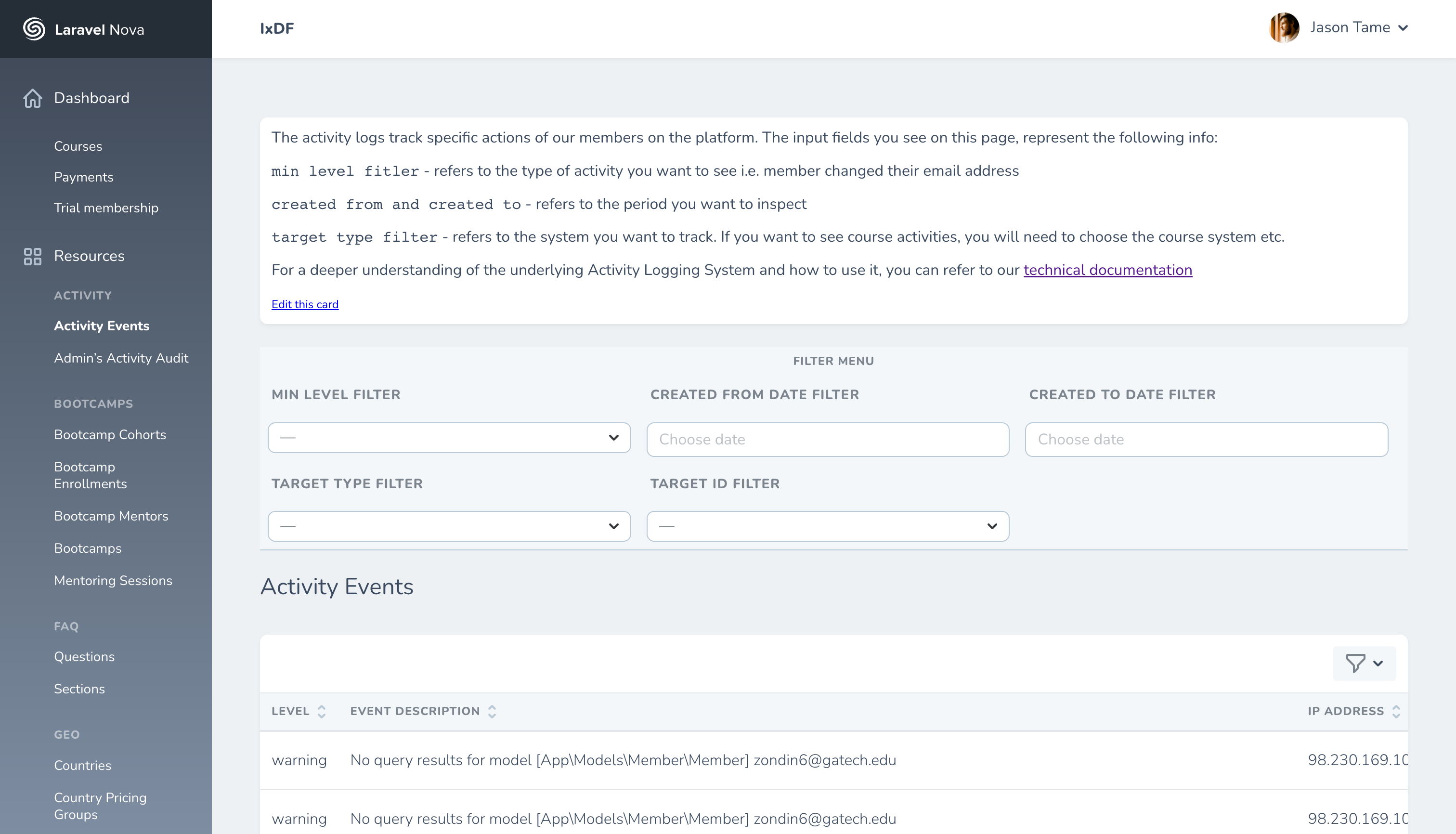
We have a handy logging control panel located at https://ixdf.org/admin/nova/resources/visitor-activities
2. Member admin page
The most common "use case" is for a member support manager to use the member-specific logs to debug/error-find in relation to a certain problem/request by a member. This is done on a given member admin page in the "Member’s Activities" section. 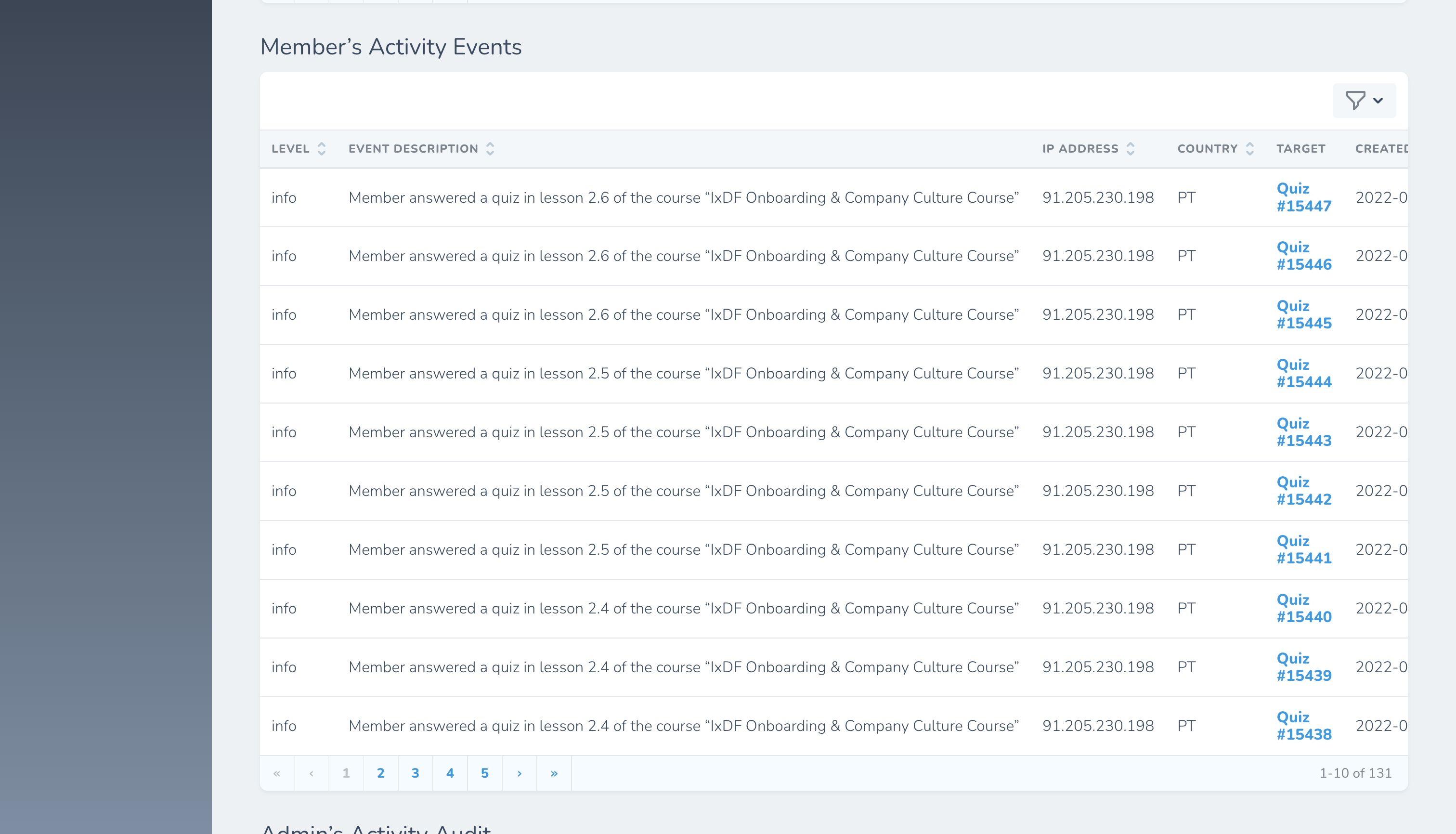
You can view more details about any event by clicking on the 'view' icon found at the end of each row in the table. 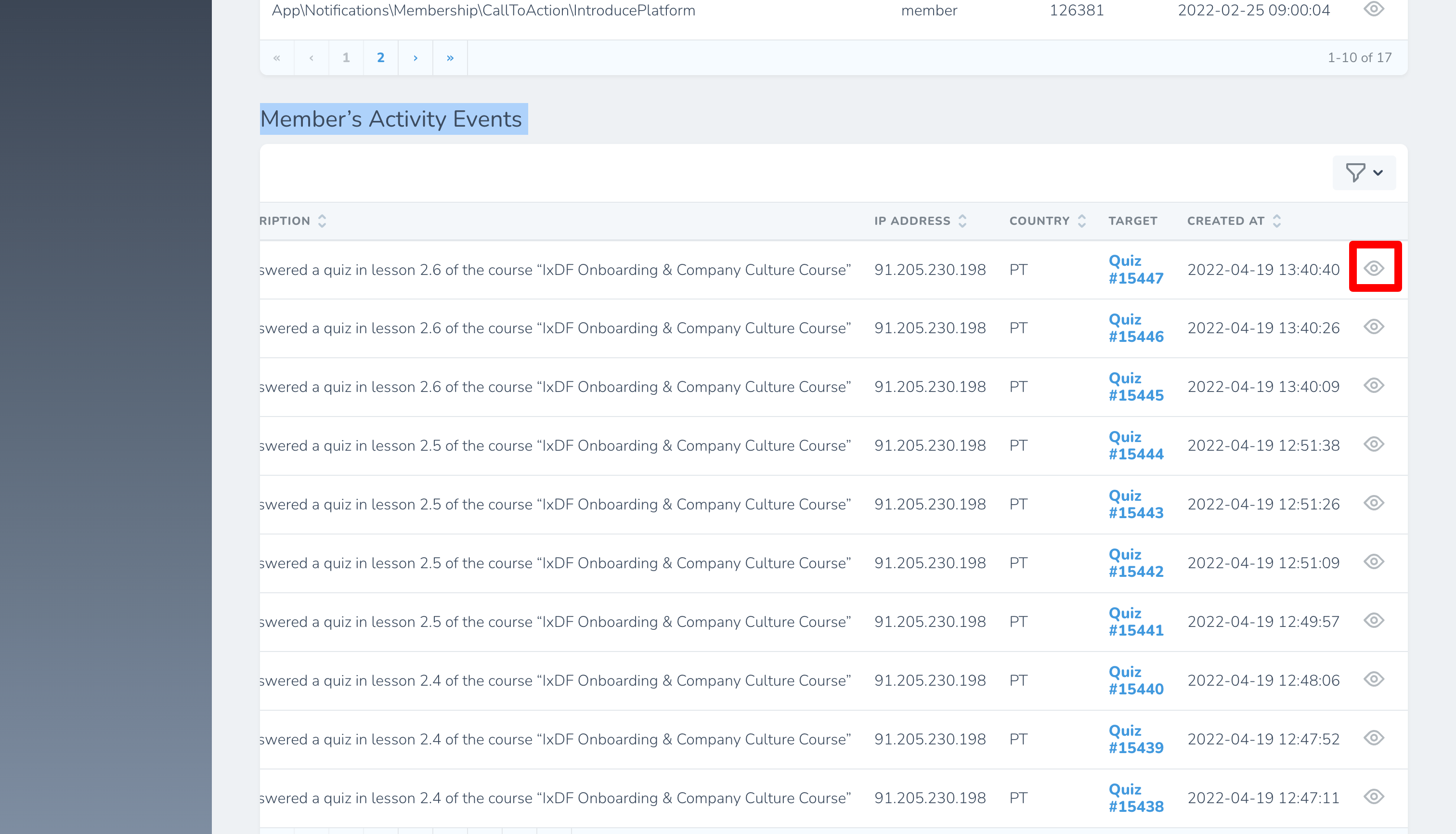
Technical architecture
You should always use dependency injection to use the activity logger. The API is pretty straightforward and better to explain by examples:
php
use App\Modules\Logging\Services\ActivityLogger;

// in a controller
public function __construct(private readonly ActivityLogger $activityLogger)
{
}

// Member action:
$this->activityLogger->byUser($member)->info('Member logged out');

// Non-member action over Member
$this->activityLogger->withSubject($member)->notice('Someone tried to log in using Member’s email');

// in a console command
$this->activityLogger->withSubject($member)->notice('Membership automatically renewed using stored PaymentMethod');
Exception: for admin’s activity, we use Nova functionality:
php
AdminActivity::forResourceCreate($admin, $course)->save();
AdminActivity::forResourceUpdate($admin, $quiz)->save();
AdminActivity::forResourceDelete($admin, collect($lesson))->save();
Contexts
If you need to attach some additional data, you can use 2nd argument:
php
$this->activityLogger
    ->withSubject($order)
    ->notice($ex->getMessage(), $request->except(['password', '_token']));
By default, (if a context is not specified) the system tried to get context data from the current request:
- client’s IP address
- user agent
- country (guess by ip address)
- user ID (Member ID)
But in case of console command there Request is created by a server itself and do not contain any helpful information. In order to avoid storing of useless information, you can specify explicitly: activity()->context($this)->..., where $this - a console command.
We also have special context handlers for \Exceptions.
Levels
Event activity event has a severity level (the same levels as in PSR-3).
Custom Slack messages
Sometimes you need to send a log message to Slack to a custom channel, but do not want to create a new logging channel (see logging.channels config) for it. You can do it using Log::build():
php
Log::build([
    'driver' => 'slack',
    'channel' => 'dev', // or any other channel
    'emoji' => ':footprints:',
    'url' => Config::string('logging.channels.slack.url'),
    'path' => storage_path('logs/custom.log'),
])->info('Something happened!');
Note, it produces an HTTP request, what is pretty slow for request-response cycle, so use it wisely:
- wrap by
deferhelper to execute it after request-response cycle - wrap by
queueablehelper to move it into a queue (without creation of a new job class)
Logs vs. Notifications
For regular Slack messages, please use \App\Notifications\Support\Slack\SlackNotification class. Notification system is more comprehensive solution that includes logging sent messages, queue with retries, etc. The rule of thumb is to use logging for a non-important Slack message (if it's ok to lose few percentages of them), and Notifications for important messages.