
Appearance
Image alt text
Please read Writing effective alt image descriptions section of the Images article.
The next part of this doc is just a TL;DR of the article from above.
TL;DR
Alternative text is required for multiple reasons. The most important ones:
- Screen readers, used by visually impaired users, read out the alt text.
- Show the text when the image is not loaded
- Better for SEO
An example of alt text for the following image would be something like this:
html
<img src="rooster.jpg" alt="Red-crested rooster crowing">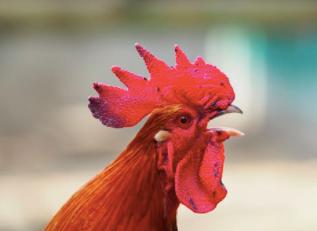
How to write alt:
- Understand does the image provide any unique content for the current context
- No: it's a decorative image, set an empty alt attribute:
alt="". An empty alt attribute is sufficient to indicate that the image is decorative and should be ignored by screen readers. Example:<img src="..." alt="">. - Yes: provide descriptive alt text that conveys the important information from the image, assuming it's a part of text content of the page. Be concise but comprehensive in describing what the image shows.
- No: it's a decorative image, set an empty alt attribute:
Further resources
Here are a couple of good materials on the topic: