
Appearance
mailtrap.io
It’s a fake SMTP server and it allows us to test emails. When mailtrap is used, the emails sent from the notification system will drop on the dedicated inbox on mailtrap.io.
Forwarding emails from mailtrap’s inbox to a real inbox
The good thing about mailtrap is that it allows us to filter incoming emails and send them to a real inbox. This is especially helpful when we want to receive emails selectively from a site.
- Go to https://mailtrap.io/inboxes and click on the inbox you want to get emails from
- Click on "Auto Forward" tab on the right-hand side
- Add a rule by selecting "Email" from the dropdown and entering the email address
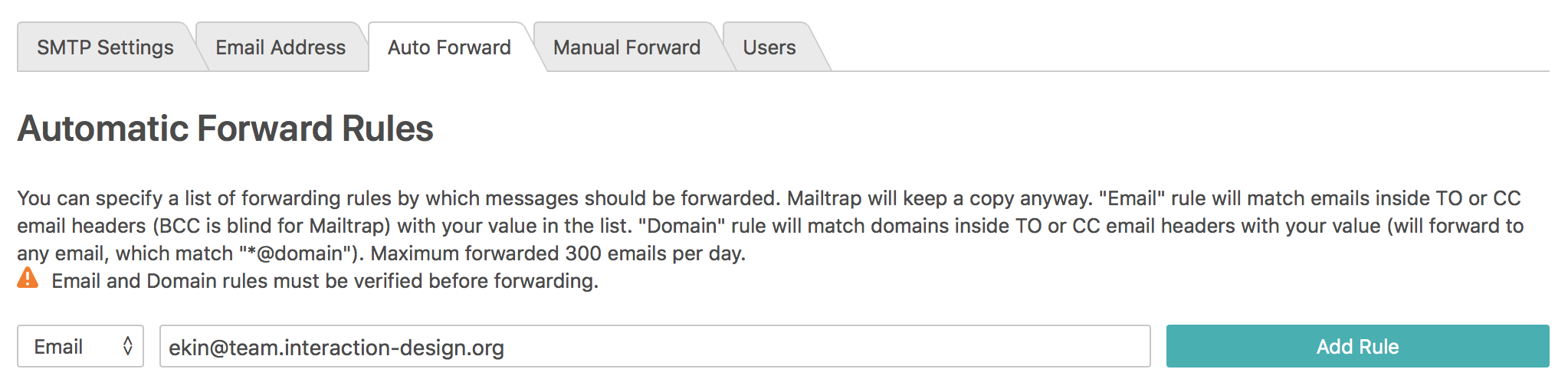
- When you add the rule, the owner of that email address will need to confirm it by using the email sent by mailtrap.
When the steps above are done, all emails[1] sent to that email address from our notification system will be delivered to that email address.
[1] Not all of the emails may be delivered due to mailtrap’s rate limits.